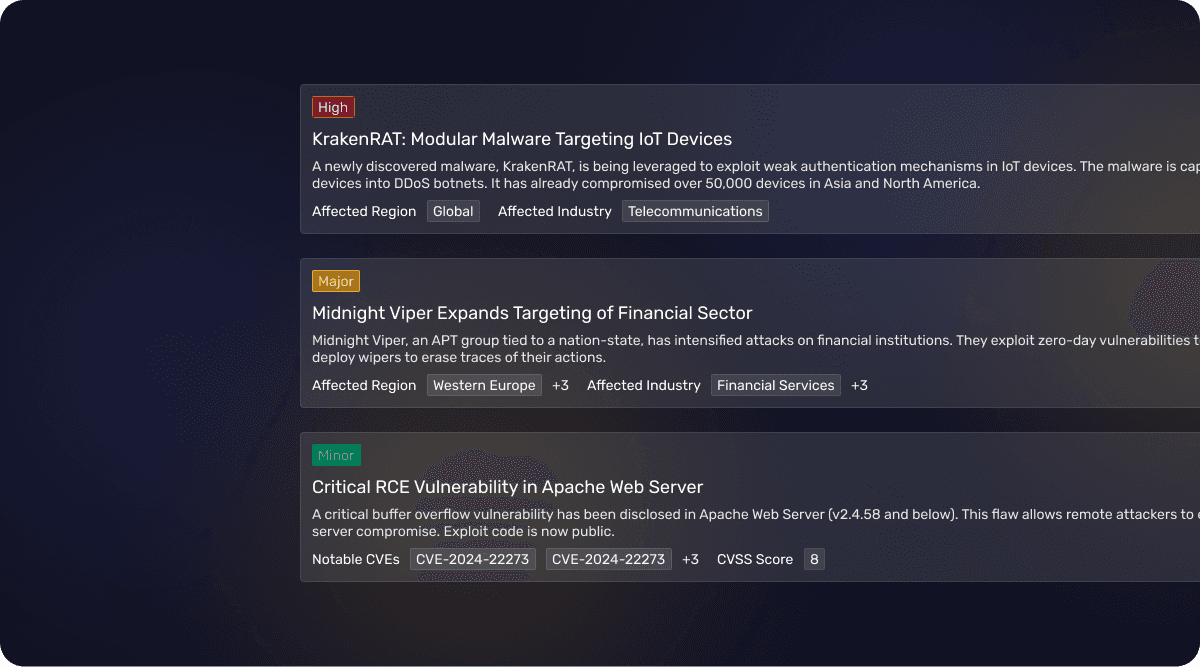
Creating Actionable Security Alerts
RESEARCH
UX/UI
The Problem Space
SecurityHQ's customers were drowning in security advisories that arrived via email, often ending up in spam. A threat advisory is a notification that warns organisations about current or emerging security risks (like cyberattacks, vulnerabilities, or malicious actors), and it's important because it allows them to take preventive action before they become victims of those threats. If they missed something critical, our analysts would have to bring it up again in weekly/monthly/quarterly calls.
On our side, analysts were spending up to 4 hours crafting a single advisory using a patchwork of disconnected tools. They'd have to manually create separate security incidents just to get customers to acknowledge they'd seen the threat.
Starting with the why
I mapped out how customers were actually consuming security information across their organisation. What became immediately clear was that our email approach didn't fit with how they worked.
Understanding the who
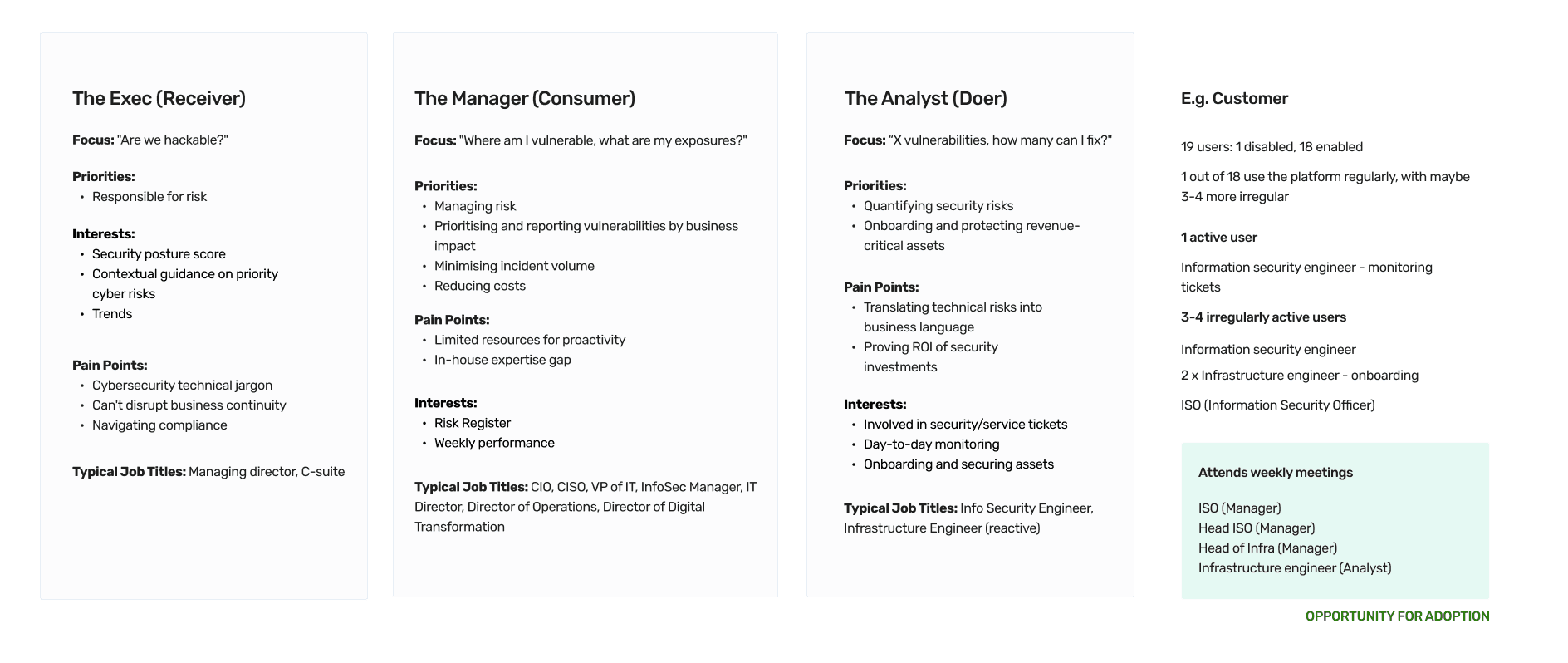
Without product analytics or email read receipts to work with, I got creative. I looked at who was actually showing up to weekly meetings between SecurityHQ and customers. The attendance patterns revealed our real users: analysts and managers who were already engaged enough to join calls.
I identified three key personas. Analysts needed immediate, detailed threat information. Managers wanted high-level views and ways to delegate responses. Executives required strategic overviews of the threat landscape.
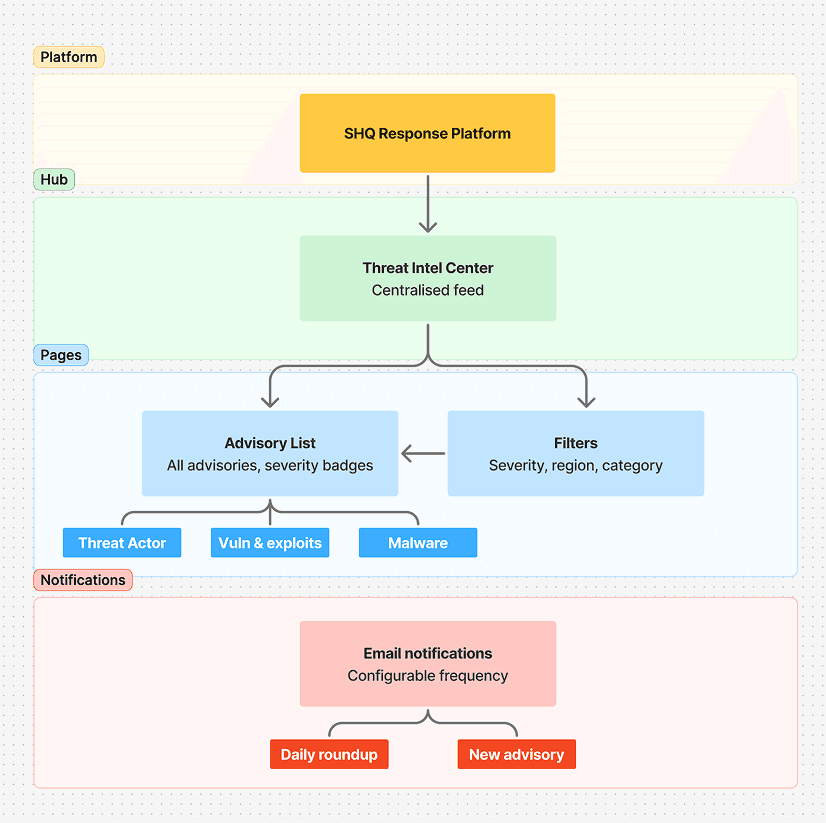
I then reimagined the customer's information ecosystem with everything centralized through our Response platform. The Threat Intelligence Center would become the hub where users could read advisories, configure what they see, and control their notifications.
Unpacking the how
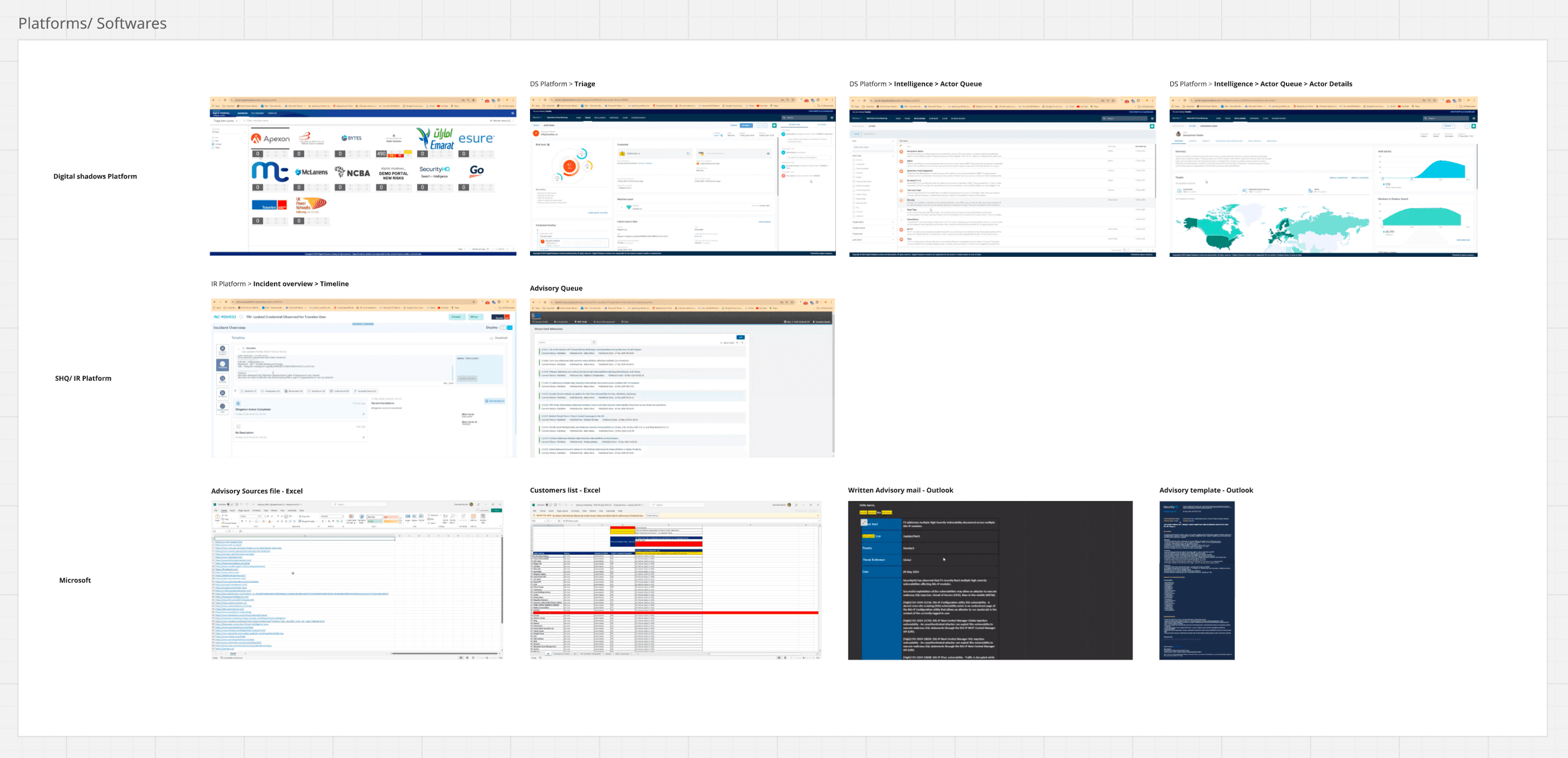
Before jumping into the customer-facing solution, I needed to understand how our analysts were creating these advisories. The process was painfully manual and linear, jumping between multiple tools with no room for collaboration or reusing content.
I documented the entire flow—the tech stack, the publication steps, all of it. This gave me a clear picture of where we could optimise.
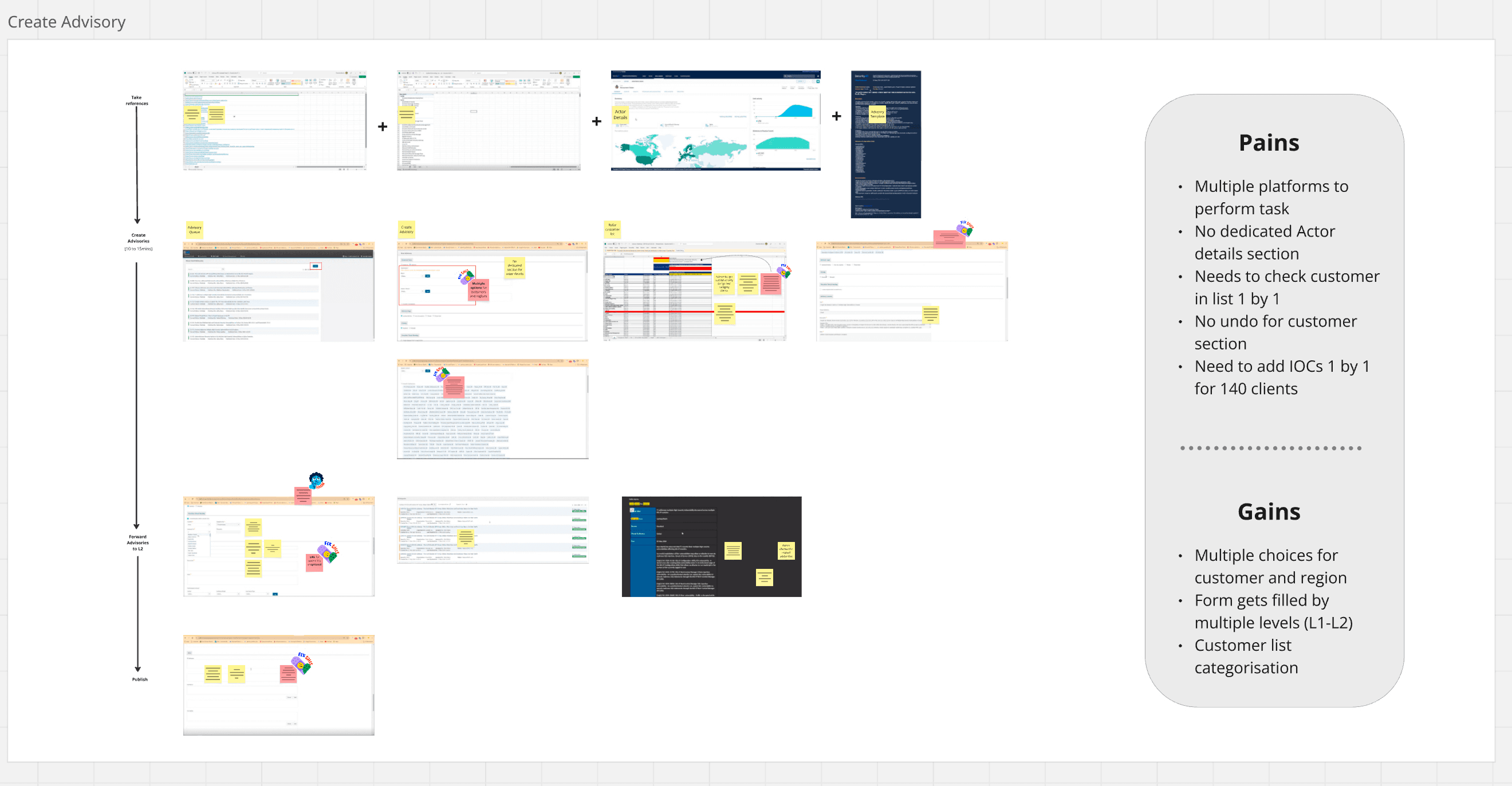
Analysis of current analyst / customer experience
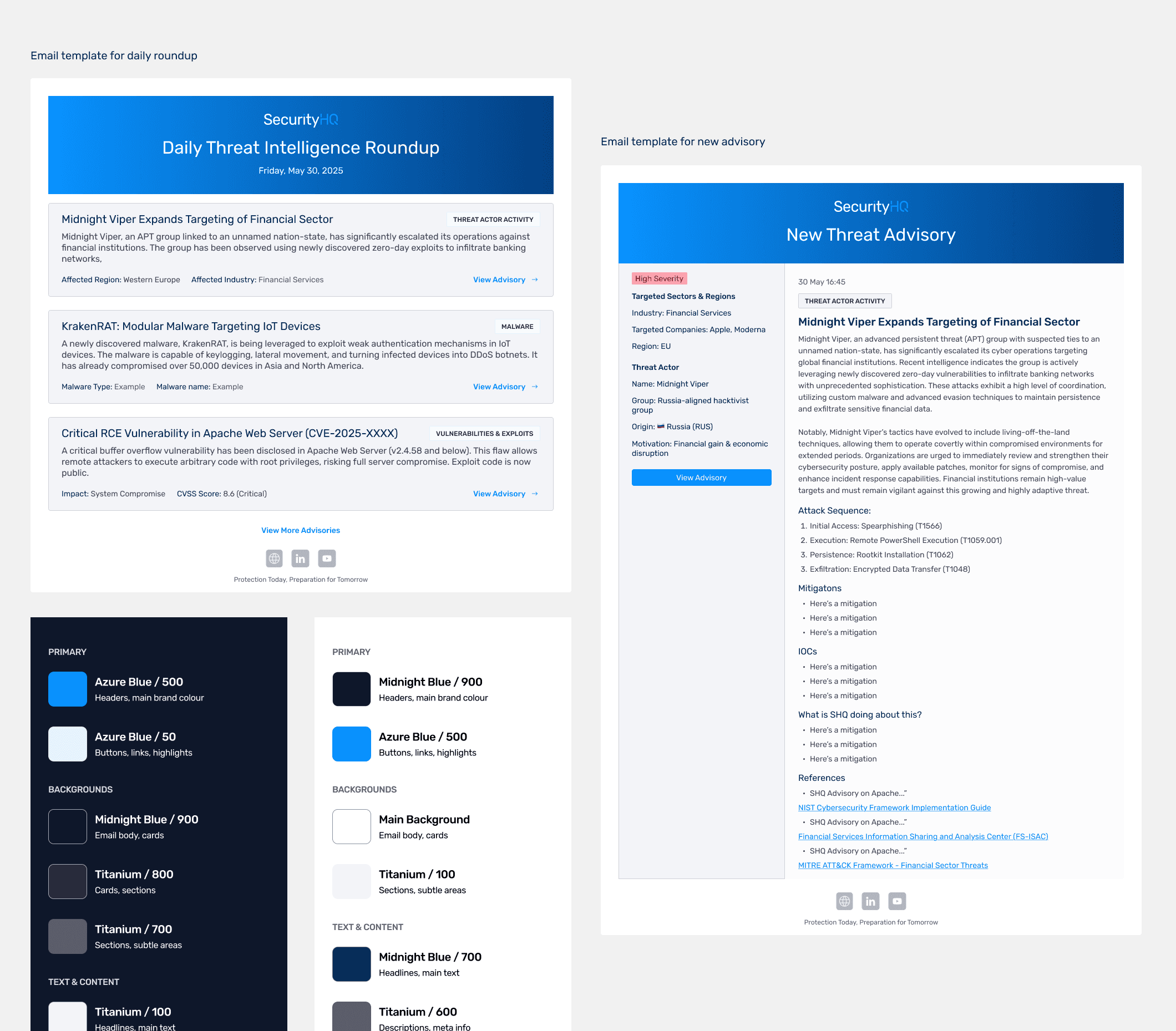
I designed an integrated Threat Intelligence product that lives right in our platform. Customers can access a complete feed of advisories, filter by category, region, severity, and impact, and see contextual information about each threat. Email notifications became smarter too, with direct links back to the relevant content on the platform.
We decided to power it with Wagtail CMS on the backend. This gave our analysts a structured, efficient way to create content while maintaining quality.
The Solution
I explored the information hierarchy and filtering through wireframes, then ran usability tests with customer-facing team members—sales reps, cybersecurity consultants, people who understood our customers' world. I created a realistic scenario to see if the design actually worked.
The findings revealed three critical insights that shaped the final design.
How people handle advisories: Users needed to quickly understand breach scope and share key information with their teams. The response was urgent—they wanted to know what was compromised and what actions to take immediately.
Understanding threat actors: People wanted more context about who was behind the threats and whether these actors were known to target similar organisations.
Finding help: Users wanted direct contact options if they'd been breached. A simple button to reach SecurityHQ's support was essential for them to act quickly.
These insights shifted our focus from just presenting threat data to providing context, clear next steps, and direct pathways to get help.
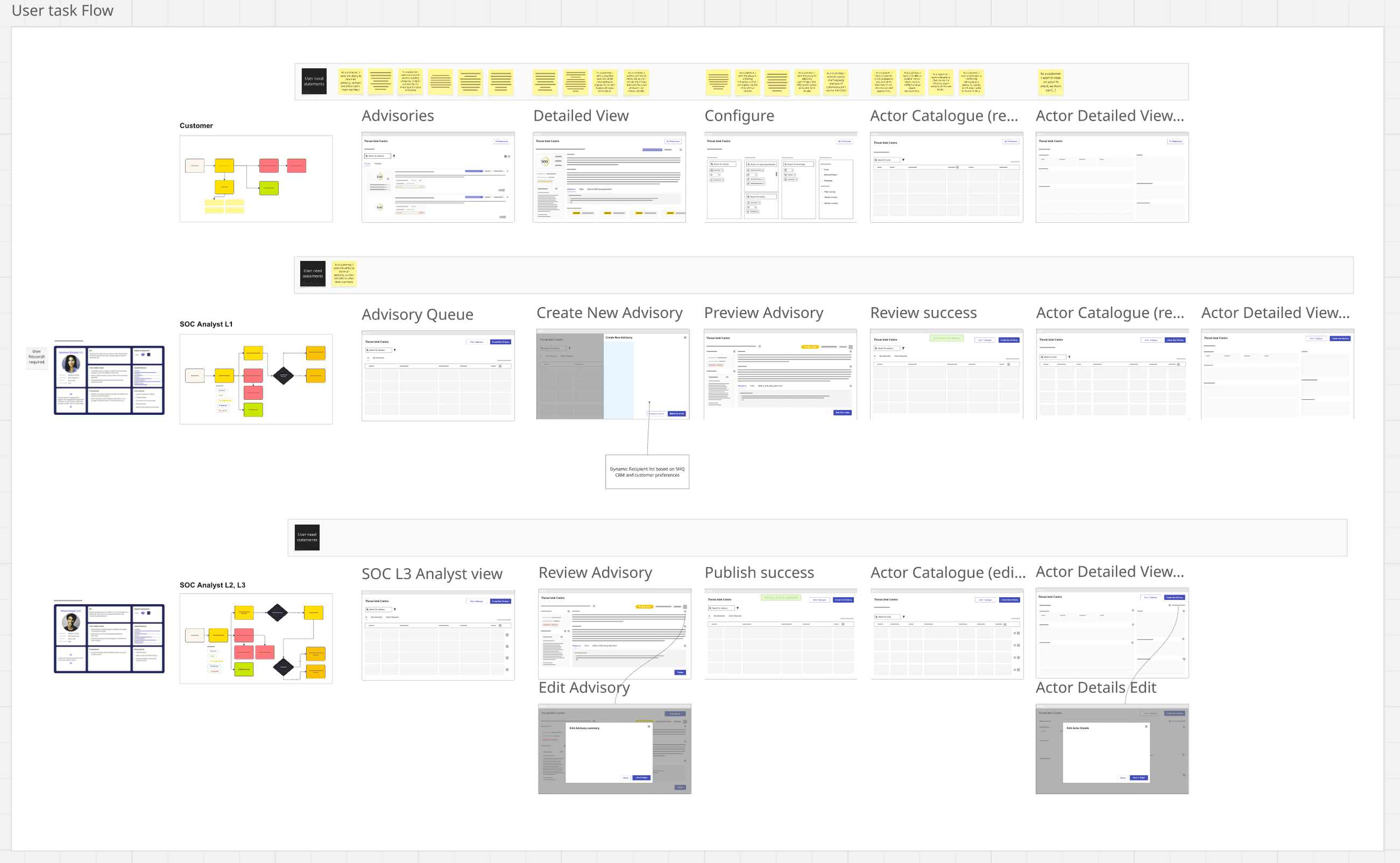
Key user flows
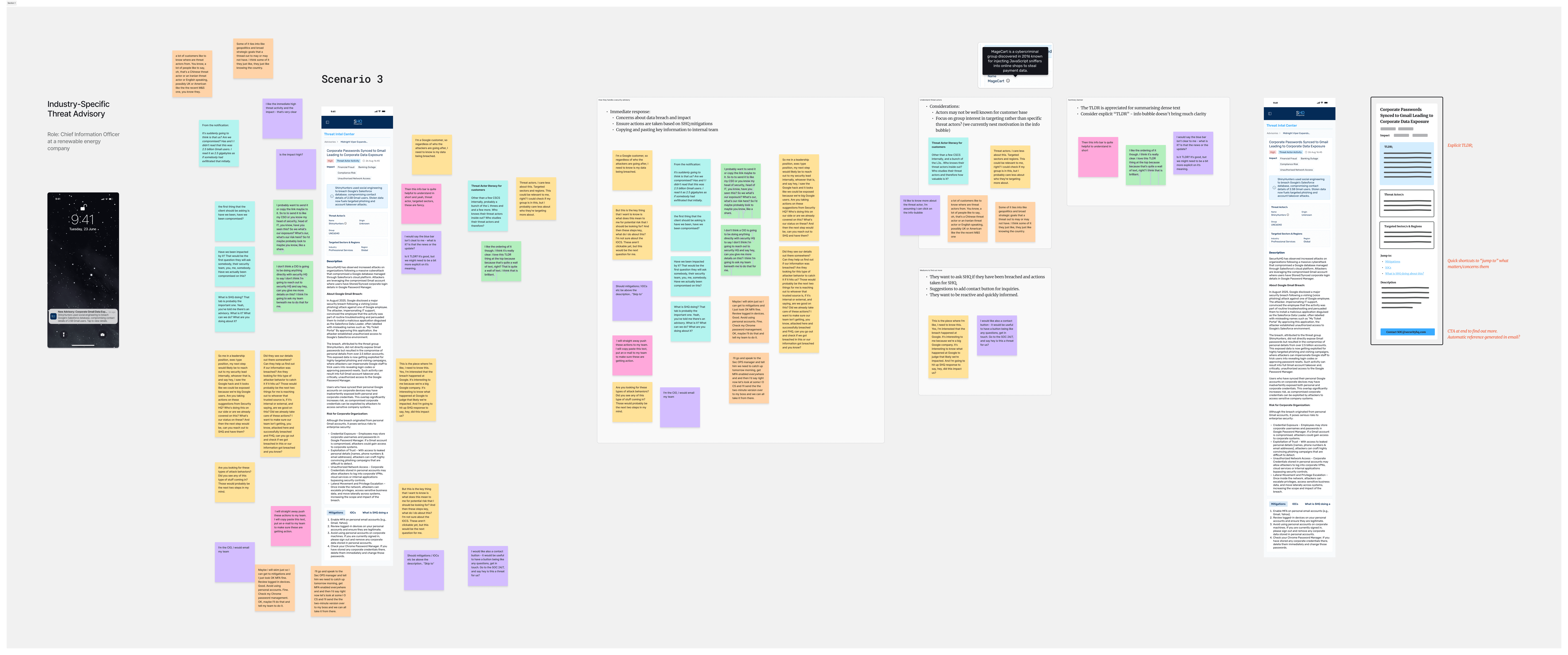
Usability testing with internal team
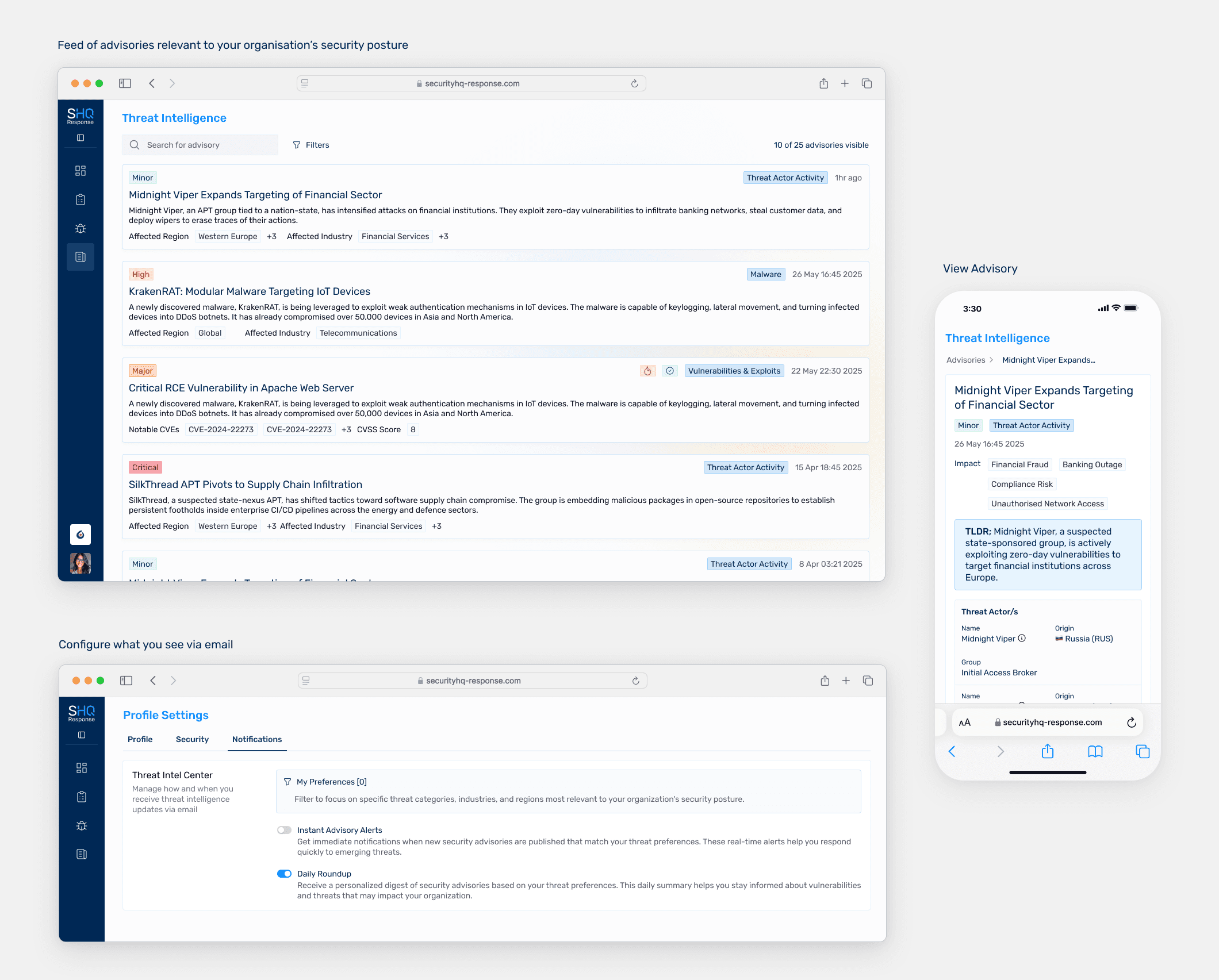
Polished Mobile First UI/UX in Production
The Impact
Evolved passive email reports into an engaging platform feature designed to increase stickiness and expand reach to executive-level users
Secured stakeholder buy-in through clear MVP prioritisation
Delivered mobile-responsive product to production that made threat intelligence accessible and actionable within the platform